Table of Contents
Check the loop in order
Check fish production, collection, delivery, customer service and money collection in that order. Each stage hands something to the next. A worker at the waterfront does not prove the kitchen has stock, and a full fish inventory does not prove you have collected sale proceeds.
| What you see | What to check next |
|---|---|
| No fish to carry | Confirm a fisherman has been hired and inspect the collection area. |
| Fish counter is above zero | Carry that stock to the kitchen Deposit Fish area. |
| Chef has received fish | Let customers complete their meal, following the tutorial. |
| Service has happened but wallet stays flat | Visit the money collection area. |
| A displayed rate looks high but income is slow | Observe actual collections over time and identify waiting handoffs. |
These are checks derived from the opening gameplay loop. They are not developer-confirmed bug fixes or a promise that every earning issue has the same cause.
Fish are waiting at the wrong stage
If your carried fish counter is empty, return to the waterfront collection area. If that counter already contains fish, take them to the restaurant and use Deposit Fish. The later frame below makes the kitchen delivery label readable.
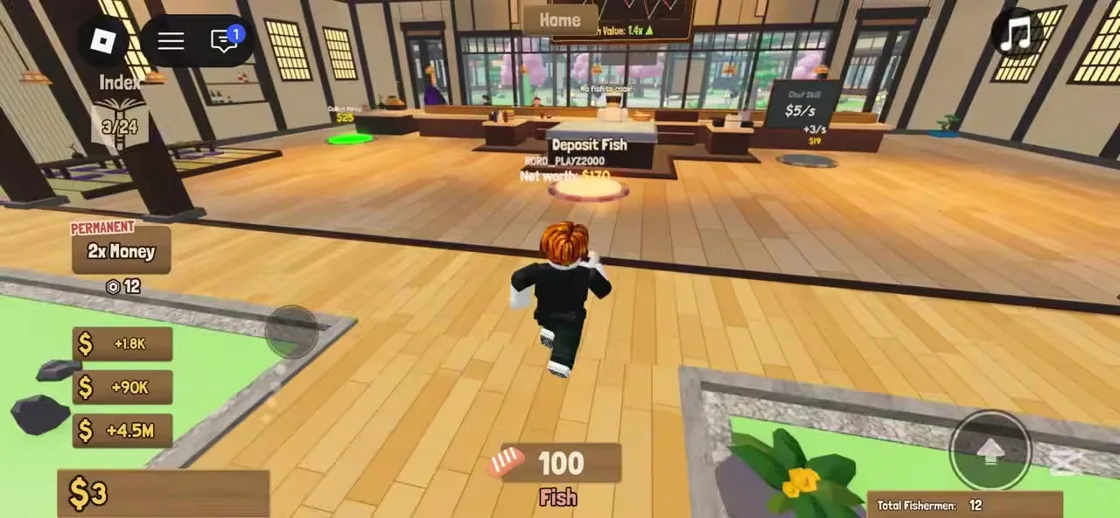
After delivery, look for a change in carried stock or kitchen activity. If nothing changes, compare your position with the actual pad and check the live tutorial. Do not spend on a different worker just to test whether delivery works.
Customers and wallet collection are separate
The opening tutorial waits for customers to eat, then asks the player to collect money. Follow both stages. A customer arriving at the restaurant and money reaching your wallet are separate checkpoints in the recorded tutorial.
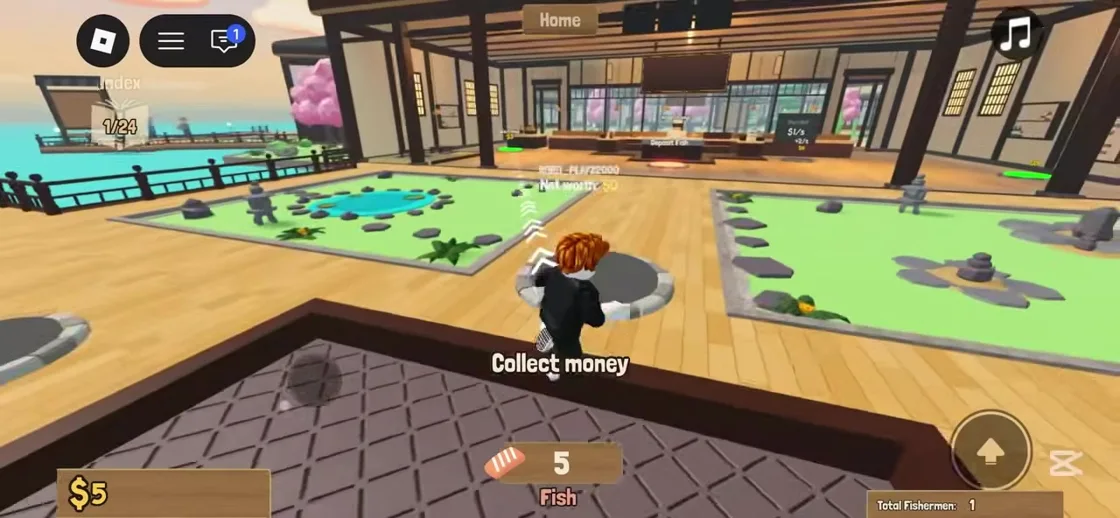
For a simple personal check, note your wallet, complete a full supply and service trip, then collect and compare. Repeat under the same conditions if you want to compare purchases. No stable per-minute earnings figure has been established for this guide.
Choose the next action by the waiting stage
More fishermen are useful only when their catch continues through the restaurant. When fish already wait to be delivered, finish the trip before investing in supply. When money waits to be collected, collect it before deciding that the restaurant is not earning.
Optional passes target different handoffs. Deck Hand is described as collecting fish, Cashier as collecting money, and Fish Trader as depositing fish at a target price. Those descriptions come from the official store. They do not establish that one pass automates the entire restaurant.
Our recommendation is to identify the repeated task you want to remove, then read the exact pass description in the live purchase window. Purchase decisions and prices can change. No pass purchase is required to follow the opening service loop shown here.
When the visible loop still fails
- Read the current tutorial instruction and check the correct pad.
- Confirm the relevant counter changes at each handoff.
- Record the stage, current worker label and any on-screen message.
- Use the developer community linked from the official Roblox listing for confirmed fixes or update notes.
We have not confirmed offline earnings, a universal stuck-customer fix or an update schedule. Avoid treating general simulator advice as a documented mechanic of this game.
Continue your restaurant
Beginner guide: from your first fish to your first sale
Follow the opening tutorial through hiring, fish collection, kitchen delivery and the separate money collection step.
Read guide →How to merge fishermen: the first three-worker merge
Find the yellow Merge pad and recognize the first recorded upgrade from Sardine Tier 1 to Mackerel Tier 2.
Read guide →